







 Wail Saidani
Founder of DevDream
Wail Saidani
Founder of DevDream
 Claude
 ChatGPT
 Perplexity
 Le Chat
 Grok
Grok
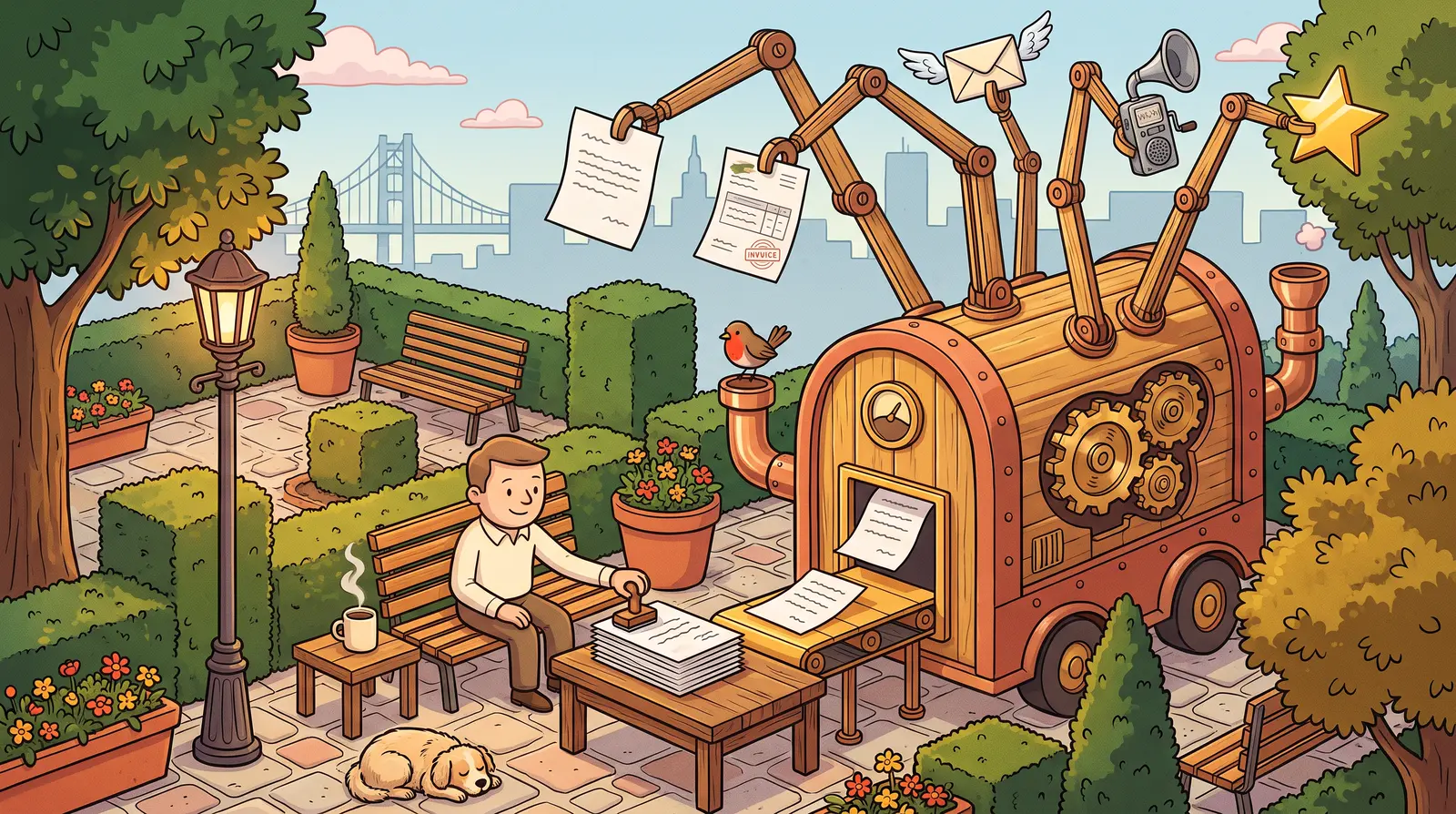
Five workflows come up for almost every contractor who puts artificial intelligence (AI) to work: writing and sending estimates the same day, following up on invoices, sorting incoming emails, preparing jobsite reports and responding to Google reviews. None replaces the contractor: AI prepares the work, and you approve it. That is the promise of well-designed AI automation for contractors: reclaim hours from your evenings and weekends, while keeping control of customer relationships.
Here are the five at a glance, before the details of each:
| Automation | What AI prepares | What stays in your hands |
|---|---|---|
| Your estimate | A complete draft (line items, quantities and usual prices) from a voice note | Reviewing it, adjusting prices and sending it |
| Invoice reminders | A reminder drafted when an invoice becomes overdue, with a tone suited to the delay | Approving it before sending, or automating straightforward reminders |
| Sorting emails | Priority labels and draft replies for recurring requests | Replies to sensitive conversations |
| Jobsite reports | Turning a voice note into a dated report, filed by project | Recording the note and deciding whether to send it to the client |
| Google Reviews | A tailored reply to each new review, positive or negative | Reviewing and publishing it |
1. How can you automate writing and sending estimates?
An AI assistant connected to your estimate history can prepare a complete draft (line items, quantities and usual prices) from a voice note recorded after an appointment. You review it, adjust it if needed and send it right away: the estimate goes out that day, rather than the following Sunday evening.

Any contractor who has written estimates at the kitchen table after dinner knows the problem: the appointment goes well, but later you have to remember measurements, product references and what you charged for a similar job. That delay rarely helps: meanwhile, the customer is comparing offers.
The assistant transcribes your voice note, creates line items using your usual rates and generates a draft in the estimating software you already use. You approve it, adjust a price for any unusual requirements and send the document.
Eslem Jemoui, head of carpentry company JV RENOV in Romainville, France, and a member of the FFB Artisans Young Business Leaders Group, describes the difference this kind of tool makes (FFB Artisans, December 2025) :
"Previously, certain tasks took up a lot of my time: technical research, technical reports, estimates... Training helps me work more efficiently and accurately." (Translated from French.)
This is the first workflow covered on my AI automation for contractors and small businesses : connecting AI to the estimating tool you already use, rather than requiring a new one.
2. How can you automate follow-ups on unpaid invoices?
An AI assistant connected to your invoicing software tracks due dates and drafts a reminder when an invoice becomes overdue: polite for the first reminder, firmer if the delay continues. You can approve each message before it goes out, or automate the most straightforward reminders.
Following up with a customer about money can feel uncomfortable, especially when the relationship is otherwise good. So the invoice sits unpaid, cash flow tightens and the subject only comes up again when it becomes urgent.
Administrative work already takes up plenty of time. A May 2024 Shine study of French small business owners found that 85% of them spend up to a full day per week on administrative tasks, and 15% spend more than a day there, with invoicing and reminders being among the most time-consuming items (Shine, relayed by TPE Mag, May 2024).
Automating this specific task removes an uncomfortable reminder from your to-do list, without forcing you to send an unapproved message to a sensitive customer.
3. How can you automatically sort and qualify incoming emails?
An AI assistant reads incoming emails and labels each message (estimate request, technical question, supplier invoice or jobsite emergency) before you open it. It can also draft a short reply for you to approve with one click. You arrive at an already sorted pile rather than a jumble of thirty unread messages.
A plumber or electrician checking email on a phone between jobs can miss an urgent request buried under supplier newsletters. By the time they see it, the customer may already have called a competitor.
AI looks at the message itself, not just the sender, labels its priority and suggests replies to recurring requests. Sensitive messages require your approval before anything goes out; sorting runs continuously.
4. How can you turn a spoken jobsite update into a filed report?
At the end of the day, a two-minute voice note describing the work completed, materials used and points to watch is enough : AI transcribes it, creates a dated report and files it under the right project. You can also choose to send a copy to the client.

After a physically demanding day, nobody wants to write a report. Details get lost just when you need them to explain an overrun, document work relevant to France's RGE energy-renovation certification, or resolve a disagreement with a customer.
This automation does not replace legally required jobsite records or applicable Qualibat requirements in France. It creates a clear, searchable record for each project without extra data entry.
5. How can you prepare replies to Google reviews?
When a new review appears on your Google Business Profile, the AI assistant drafts an appropriate reply: a personalized thank-you for a positive review, or a calm, factual response to a negative one. You review and publish it. Nothing goes out without approval, especially replies to negative reviews.
Many contractors leave reviews unanswered because they lack time or worry about wording a response to criticism. An unresponsive profile can weaken the confidence of potential customers who check it before getting in touch.
According to BrightLocal's Local Consumer Review Survey 2026, 80% of consumers say they are likely to use a business that responds to all their reviews, compared to only 42% for a business that never responds (BrightLocal, 2026). The discrepancy is almost entirely due to the presence, or absence, of a response, not the score itself.
Where to start?
Don't run all five automations at once. Start with the only process that costs you the most hours today: the one that you systematically postpone until Sunday evening. Identifying it precisely is exactly the purpose of an audit: DevDream offers it from 1 500 €, process by process.
To find that priority without a formal review, track your time for a week: each evening, note how long you spend on estimates, invoice follow-ups, email and reviews. The task that takes the most time, or the one you keep avoiding, is your starting point.
Your peers are already moving in this direction. The France Num 2025 Barometer, published by France's Directorate General for Enterprise in October 2025, found that 26% of French small and midsize businesses used at least one AI tool, compared with 13% a year earlier: adoption doubled in twelve months (France Num / DGE, October 2025, reported by the Institut Supérieur des Métiers). Three quarters of French small and midsize businesses had not yet automated anything: starting with one well-chosen workflow gives you a head start.
| Process | A sign to start here |
|---|---|
| Your estimate | You write them in the evening or on the weekend |
| Invoice reminders | Unpaid debts drag on for more than 30 days |
| Emails | You miss requests buried in your inbox |
| Jobsite reports | You can no longer find the details of a past project |
| Google Reviews | Your profile has reviews that have gone unanswered for months |
If you prefer to understand the tool before delegating anything, I am preparing a Claude training in French for contractors and small businesses. It is in development: you can leave your email to hear when it launches. To understand the value of learning these skills, my article Claude training for contractors: uses and cost explains the intended uses and planned format.
Frequently asked questions
Key takeaways
| Question | Key point | Mistake to avoid |
|---|---|---|
| The principle | AI prepares estimates, reminders, sorting, reports and review replies; you approve them | Sending anything involving money without approval |
| Your tools | The assistant connects to your existing software; nothing needs replacing | Replacing your entire toolset to automate |
| Where to start | One workflow: the one you keep putting off until Sunday evening | Launch all five automations at once |
| The cost | Review and implementation from EUR 1,500, one workflow at a time | Automate without knowing which process costs the most hours |
| Increase your skills | DevDream's Claude training is in development | Delegating to a tool you do not understand |
Five automations, one rule: the AI prepares, you keep control. The right starting point isn't the most impressive tool, it's the process that steals the most hours from you each week. Are you unsure about which one? Let's talk about your processes.
Founder of DevDream, a web and AI workshop for contractors and small businesses in Villeneuve-la-Garenne, near Paris, France (92). I have built websites that bring in customers since 2018 and automate small-business paperwork. Rated 5.0/5 on Google (16 reviews).
Follow me on LinkedIn →


A question about your project?
Free 30-minute introductory call. I reply within 24 business hours.
Discuss my project →